Relinker
A Open Source Unity Editor Window Renaming tool.
DETAILS
Unity Engine
Jan 2026 - March 2026 [Initial release] - present V0.2
PROJECT DETAILS
Learnt Unity Editor Window scripting in C#
Implemented individual binding renaming and find and replace mass renaming to fix animation binding paths.
TOOL PURPOSE
The Relinker is designed to streamline the process of reusing existing animations; it allows users to quickly mass rename bindings across the all animation clips within an animation controller. The tool features find and replace mass renaming, and manual renaming for individual bindings.
TARGET AUDIENCE
This tool is intended for animators and teams that reuse animations across characters.
THE PROBLEM THE TOOL SOLVES
When copying animations from one character to another, the animation bindings need to be renamed to work correctly, on projects with many animations, or characters with complicated rigs, this can be extremely time consuming to do manually. This tool speeds up that process by giving the user the option to mass rename bindings.
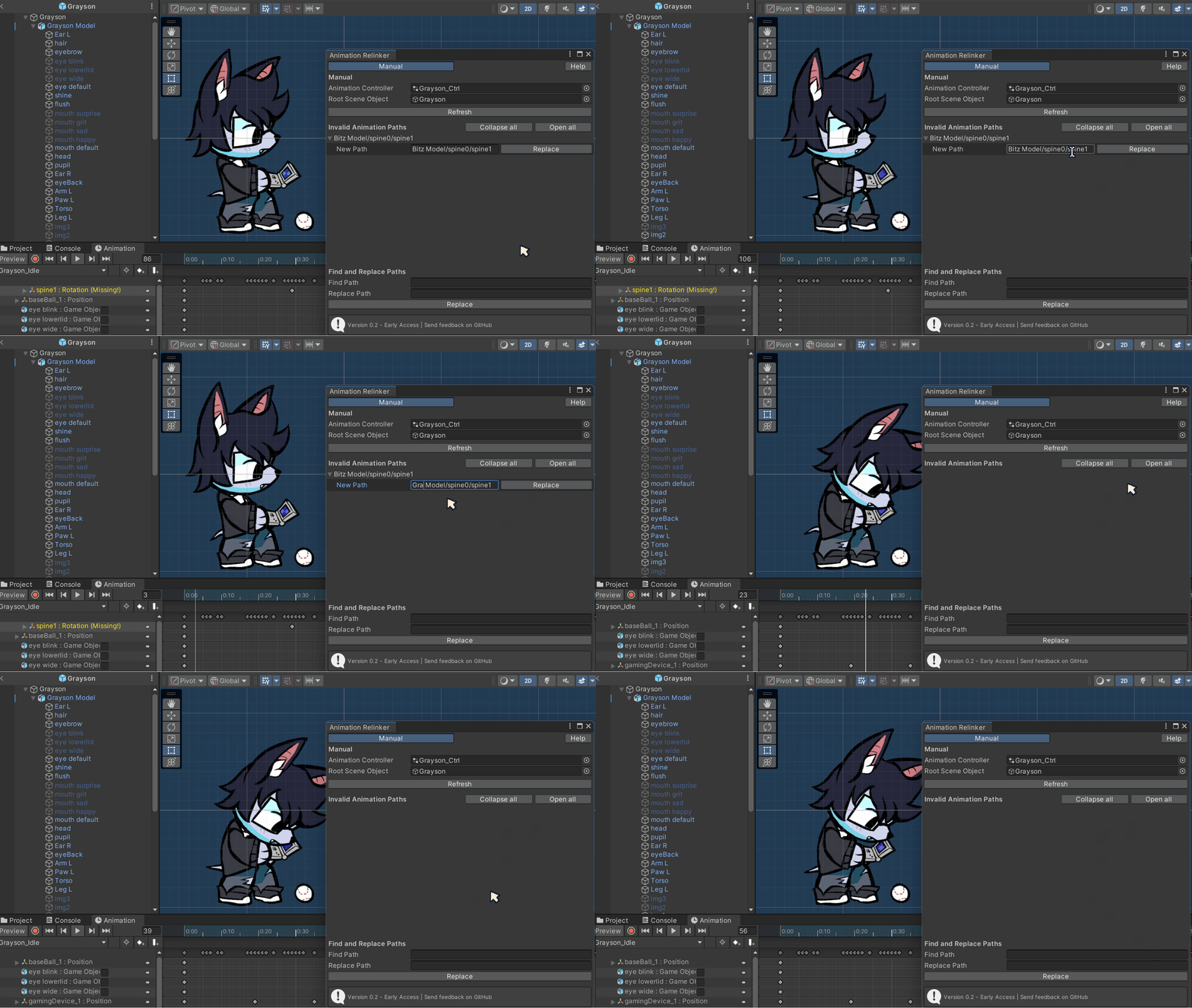
Rename and fix bindings individually
Users can see broken binding paths, and rename them more easily.
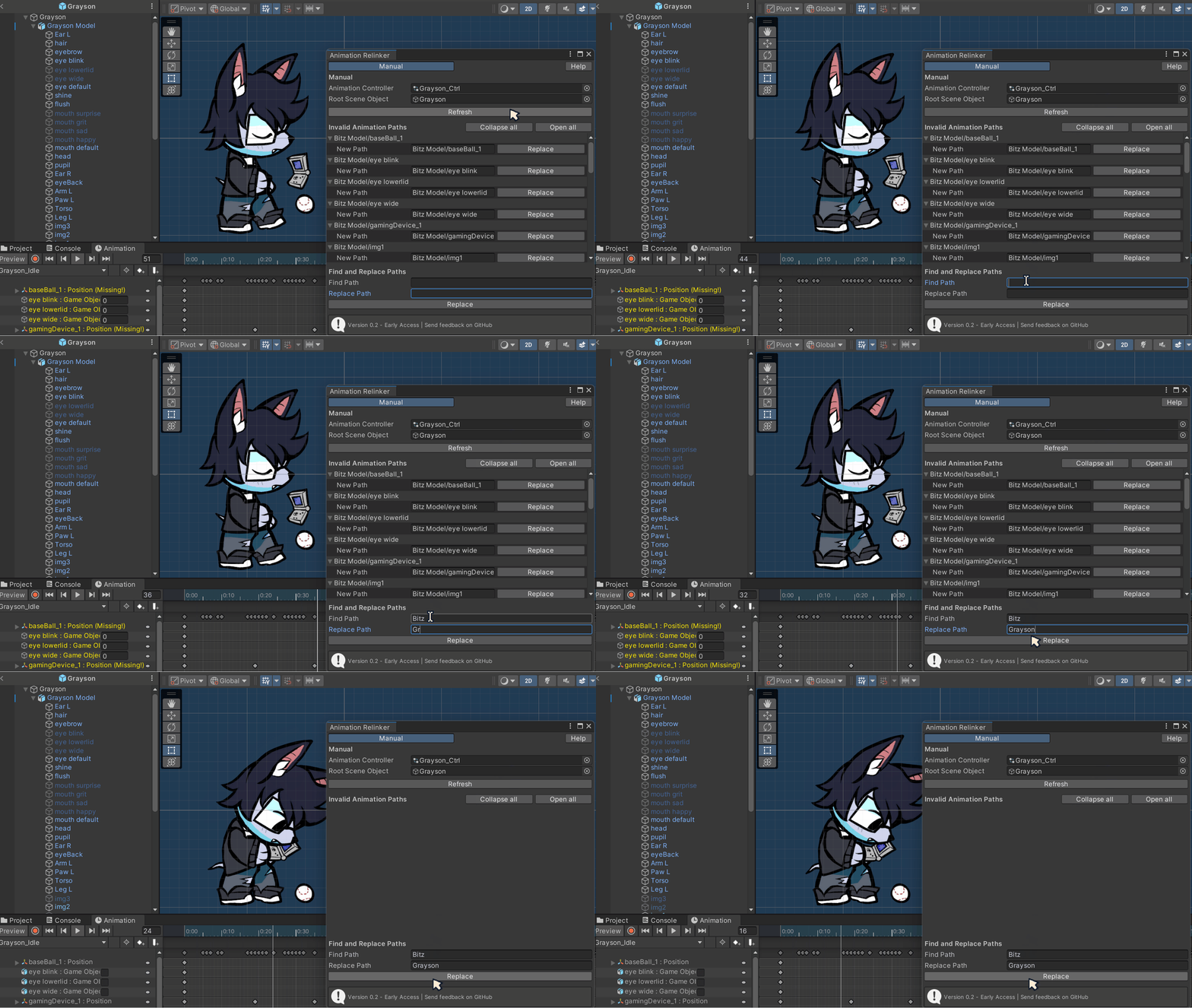
Find/replace to mass rename & fix bindings
A common reason for broken bindings is a different root object name, find and replace can easily fix all bindings, saving the user time from doing them all manually.
CONCLUSION AND FURTHER THOUGHTS
This project was an absolute blast to work on, it combines two of my favourite things about technical art: learning a new skill and creating tools for people. Testing this tool in person was also invaluable, I was able to quickly spot issues with clarity, or strange ways they would use my tool. It also lead to ideas for future features to add to the tool.
User feedback has given me the opportunity to refine my UX skills, to make a tool that is intuitive, flexible, and easy for animators, and other game developers to use.
I intend to keep updating these projects as I get more user feedback, and learn more about Unity. The next feature I have planned is a transfer tool, to copy a animation controller, and it’s animations from one prefab to another.
This is a open source project I am maintaining. You can read the documentation, and test out the tool on gitHub
—-
Special thanks
Alain Schneuwly, for feedback, supervision, and tremendous support.
Quimby, the cat, for supervision. Bug inspector.
Caiden Muro, for UI, UX feedback. This tool used to be a lot uglier, and clunkier to use without their feedback!
Corbyn Lamar, for your knowledge and helpful tips. They’re amazing!
hfcRed. When doing early research I had found their tool, and it served as a initial reference point for editing animation data.
Skyler @magussparky.bsky.social on Bluesky, for introducing me to Unity Editor Window! I wouldn’t have gotten the idea to do this project without her.
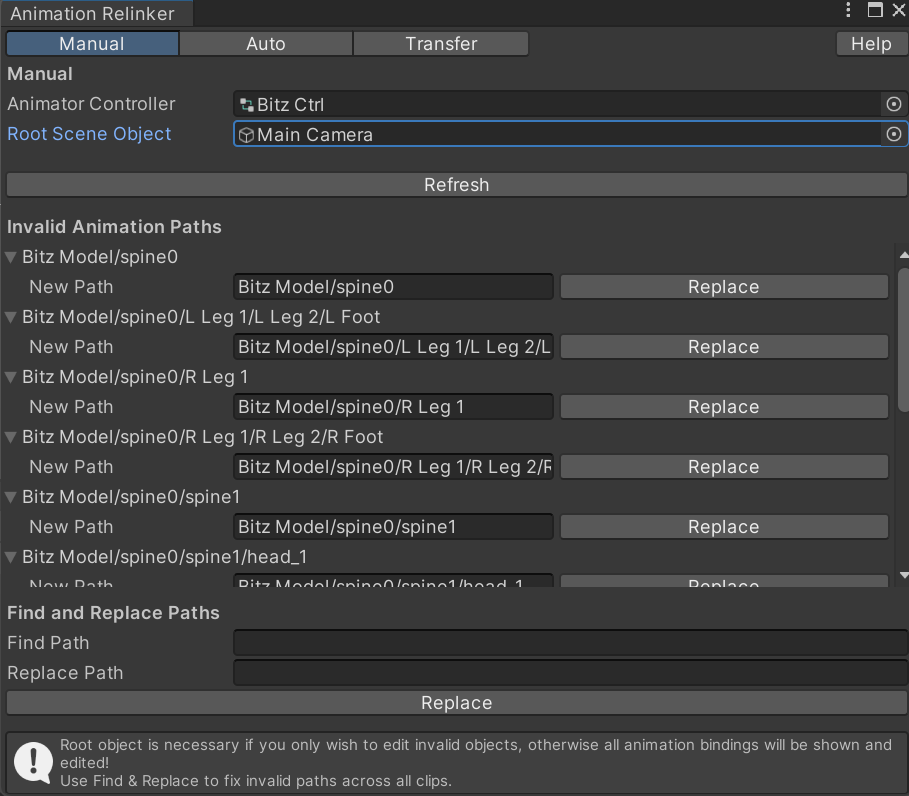
Earlier versions of the tool didn't have colour banding, which made it a bit hard to parse what was going on.
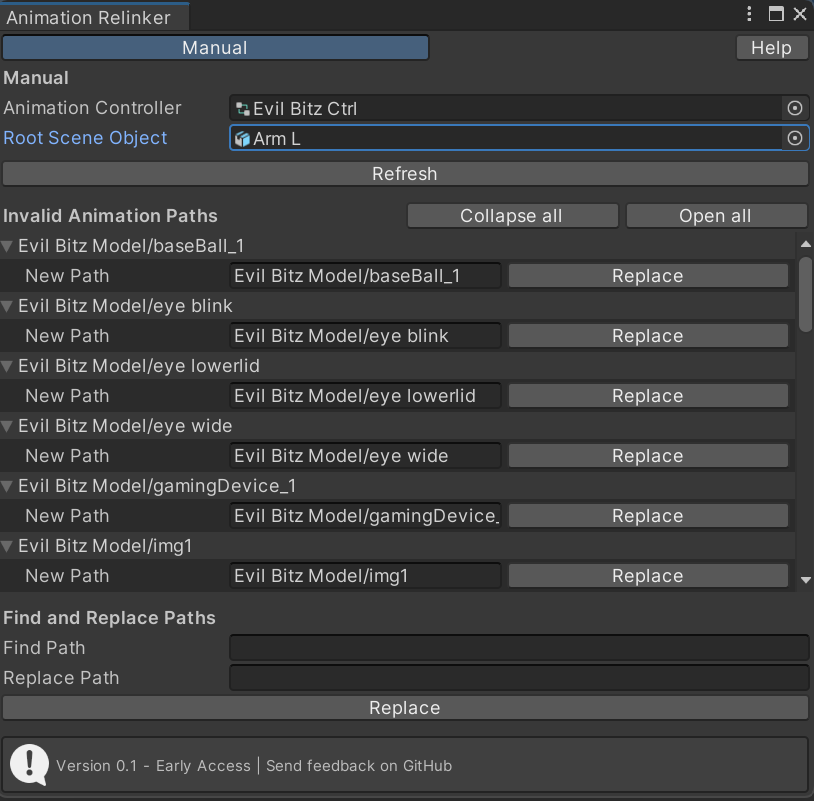
0.1 Colour banding. It makes it so much easier to read! I ended up cutting the 'Auto' and 'Transfer' features for the initial release.
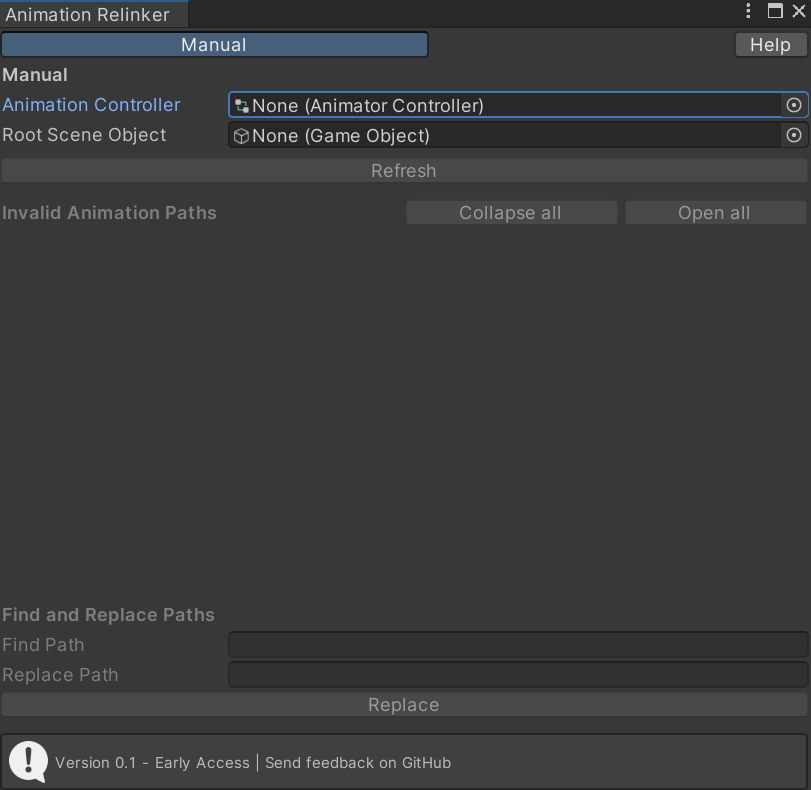
UI of the current, and 0.1 initial release of the tool.