Constraints
A Open Source Unity Editor Window Renaming tool.
DETAILS
Unity Engine
Jan 2026 - March 2026 [Initial release] - present V0.3
PROJECT DETAILS
Learnt Unity Editor Window scripting in C#
Implemented transform constraints in Unity Animation Window as keyframes.
Added saving of constraint settings and data using scriptable objects. Load data from a scriptable object, and save new data.
Implemented weight blending, beyond what is offered in Unity’s own transform constraint tool. It multiplies the final result of the source animation value, and blends between the base object transformation referenced in the scriptable object.
Added match offset, which copies the original base transformation of the target object into the offset values.
Added the option to set constraints as relative, which adds the original base transformation of the source to the final resulting value.
Focused on user friendly UI
TOOL PURPOSE
This tool is designed to streamline the process of animating tedious tasks such as mimicking re-parenting of bones. It’s flexibility allows it to be used for other purposes and experimentation, such as creating an animation that references rotation values, and turns them into transform values.
TARGET AUDIENCE
This tool is intended for 2D animators who are used to animating in Spine2D. However, UI artists, and 3D animators may also use this tool to block in and create interesting animations.
THE PROBLEM THE TOOL SOLVES
I found it clunky to manually animate fake 3D rotations within my Unity 2D rigged animations, and wanted to make a tool that would automate that process, but found Unity’s existing constraint tools lacking.
Unity’s existing constraint tools are components that must be attached to game objects and run at all times unless disabled. My tool adds features missing from the Unity Component such as; Relative, match offset, unlimited weight controls, and the ability to edit animation keys.
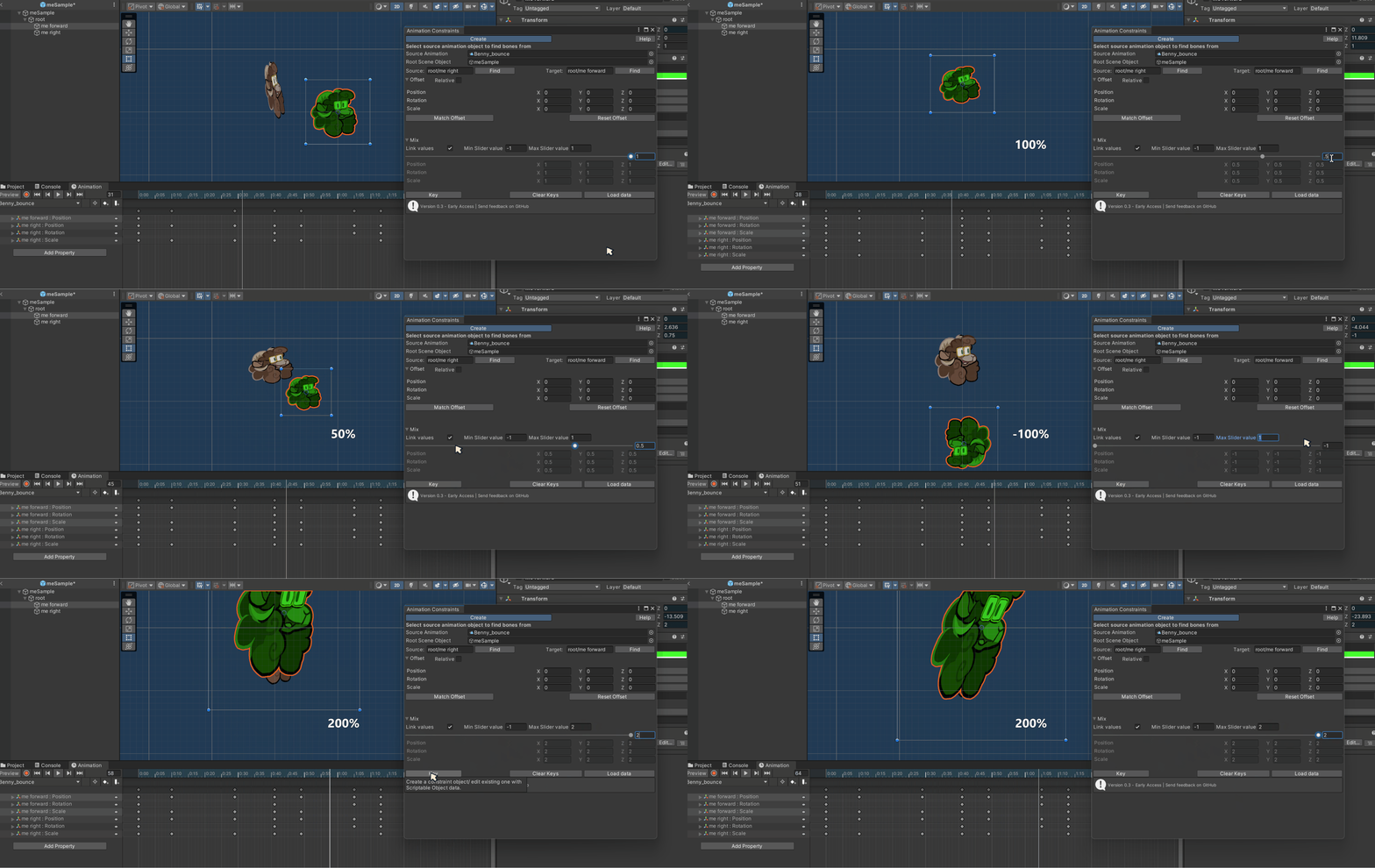
Adjust weights of constraints
Users can have their constraint copy things 100%, 50%, -100%, or any other multiplier that the user desires.
Copy everything, or stick to specific channels — the user has the power to choose how the constraint affects the target.
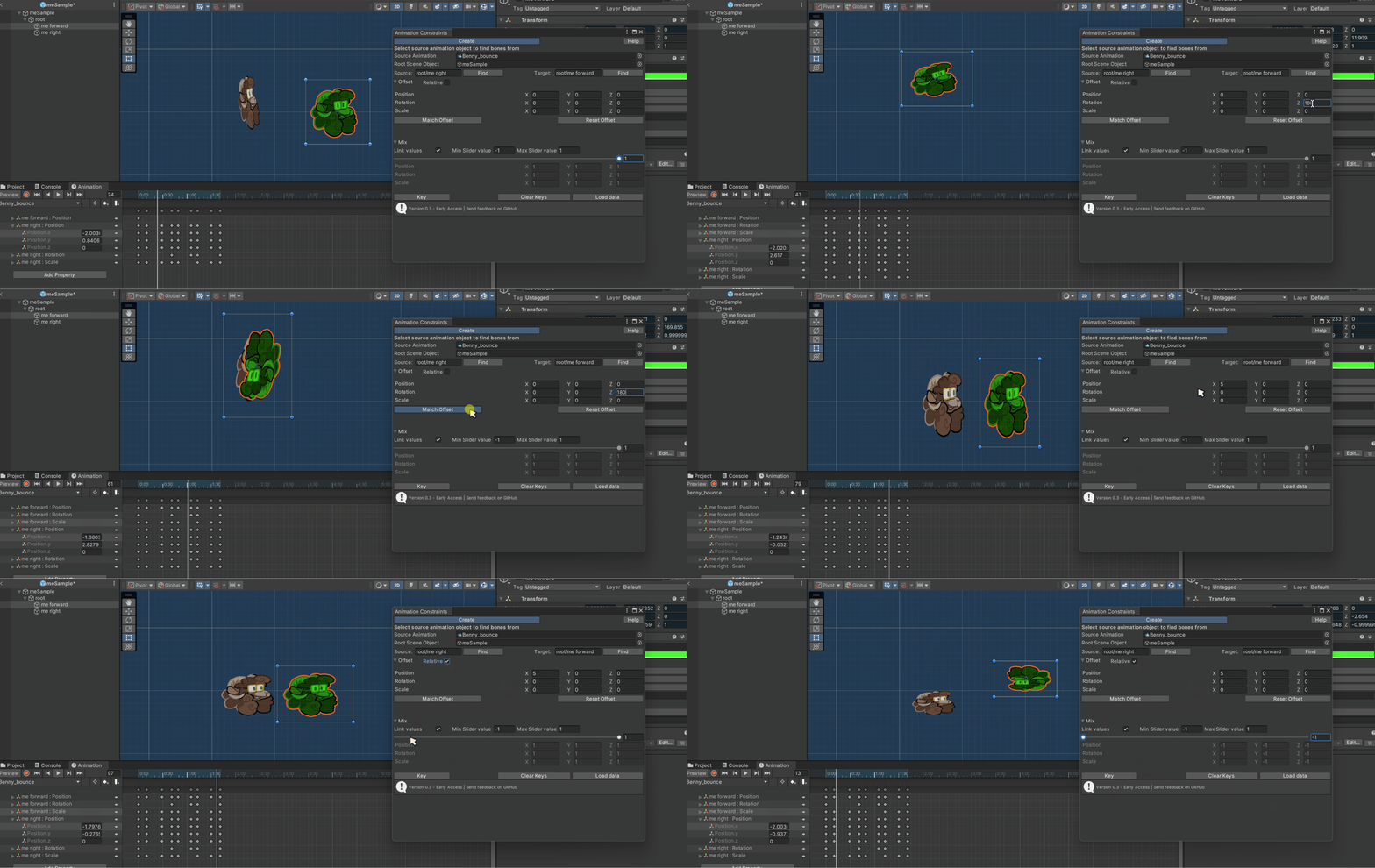
Offset constraints
Manually input values to shift the final results, click ‘Match Offset’ to add the original transform of the animated object, or set as ‘Relative’ to add the source object transform to the final result.
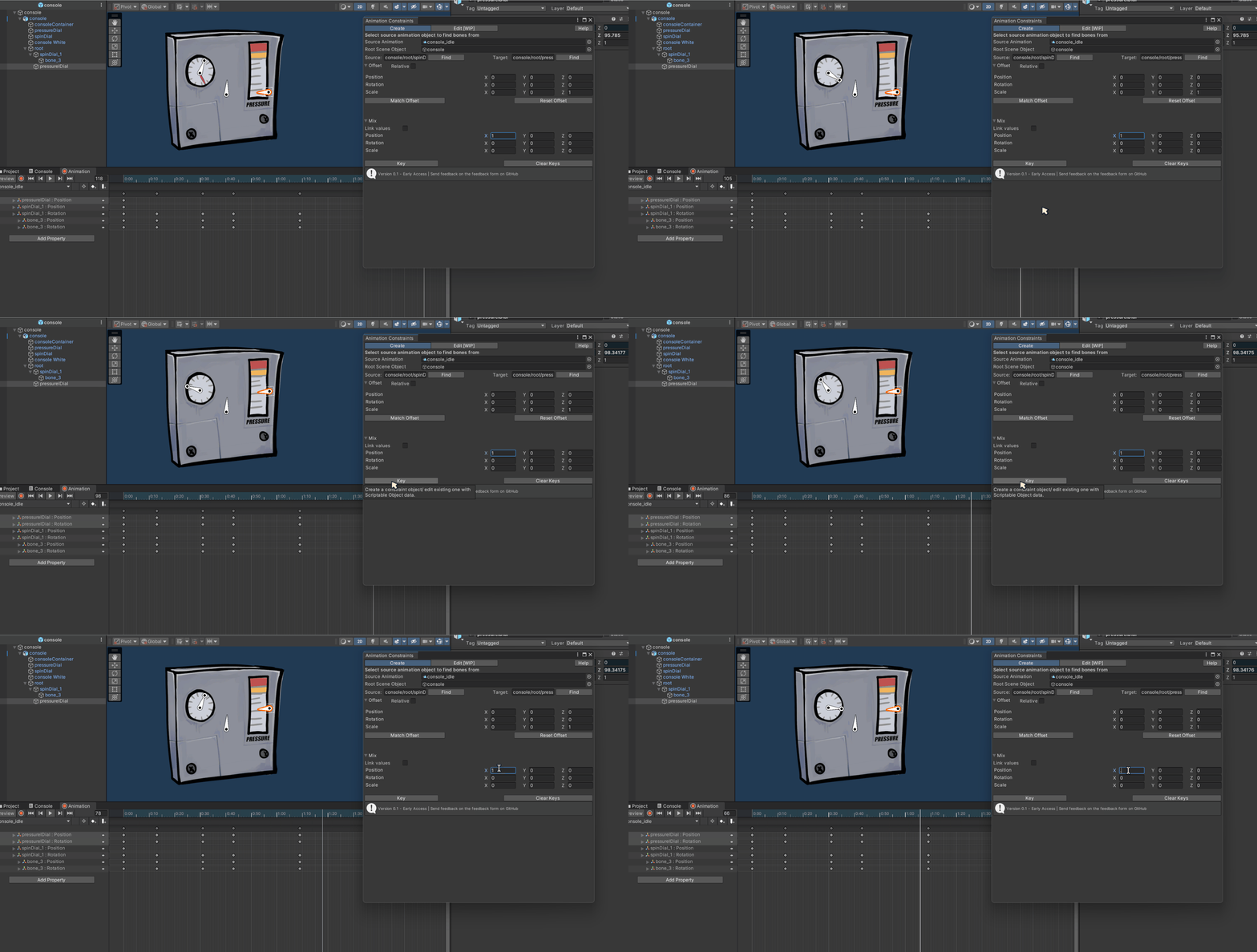
Reference rotation, animate position
The tool can be used in unique ways to achieve particular movements that would be difficult to manually animate.
In this example we have the bar animate up and down based on the rotation of the dial.
To achieve this effect:
Create a bone at the tip of the rotating object. create blank transform keyframes for every rotation keyframe, this can be done using a constraint with 0 weight.
Select the bone as your source, and the object you want to animate as your target, disable all values except for the transform channel you wish to animate.
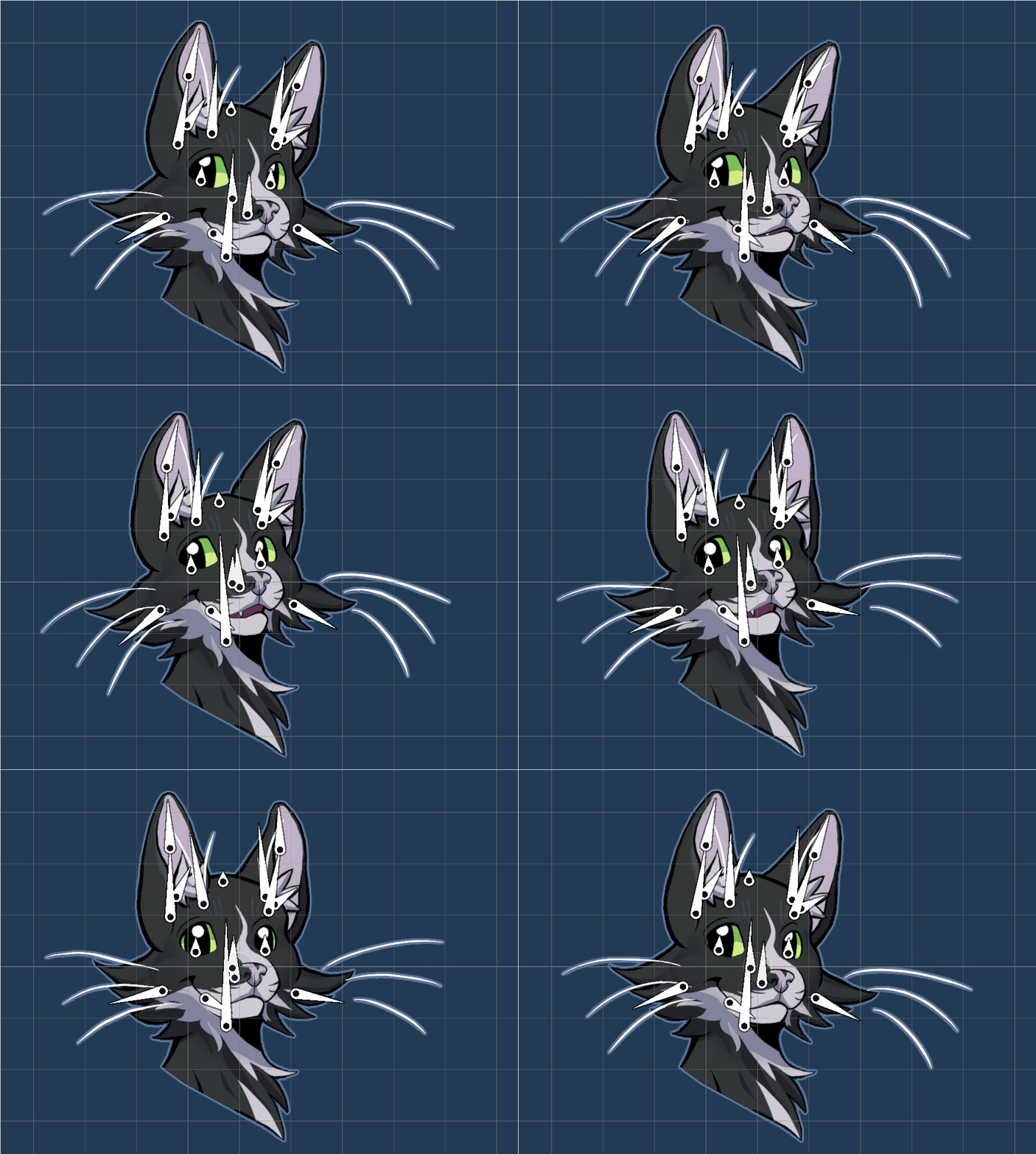
Create fake 3D rotations with ease
By rigging a front bone, and a back bone, the user can create the illusion of 3D by having these bones move and rotate inversely to each other. This can be tedious and difficult to do manually, without constraints.
CONCLUSION AND FURTHER THOUGHTS
When I started learning about Unity Scripting, I used the Relinker to dip my toes. This project was my ultimate goal, I felt Unity’s animation tools were lacking and I wanted to do something about it. Starting with a managable bite sized project kept me fired up to charge into unknown territory.
Figuring out the math for copying position, rotations, and even blending between curves took a lot of trial and error. This project taught me a lot about research and testing — several times through the project I would think I had the constraints correctly set up, but then I would find bugs on different prefab setups. As I tested more and more, I ended up rewriting the calculations, and adding new features. I didn’t plan to add Relative, but I added it because I realised it was necessary for fake 3D effects, which was what I wanted this tool for primarily. The ‘Load Data’ feature was added after a playtester lamented about having to rewrite all their constraint values after closing the project. No matter how much you think you have tested your tool, getting other people to use it in unexpected ways is so useful.
I intend to keep updating these projects as I get more user feedback, and learn more about Unity. The next feature I have planned is improved constraint editing, and set driven constraints. I would like constraints to automatically update anytime the source animation binding gets updated, reducing additional work when users end up modifying the animation after creating the constraint.
This is a open source project I am maintaining. You can read the documentation, and test out the tool on gitHub
—-
Special thanks
Alain Schneuwly, for feedback, supervision, and tremendous support.
Quimby, the cat, for supervision. Bug inspector.
Caiden Muro, for UI, UX feedback, and testing. This tool used to be a lot uglier, and clunkier to use without their feedback!
Corbyn Lamar, for your knowledge and helpful tips. They’re amazing!
hfcRed. When doing early research I had found their tool, and it served as a initial reference point for editing animation data.
Skyler @magussparky.bsky.social on Bluesky, for introducing me to Unity Editor Window! I wouldn’t have gotten the idea to do this project without her.
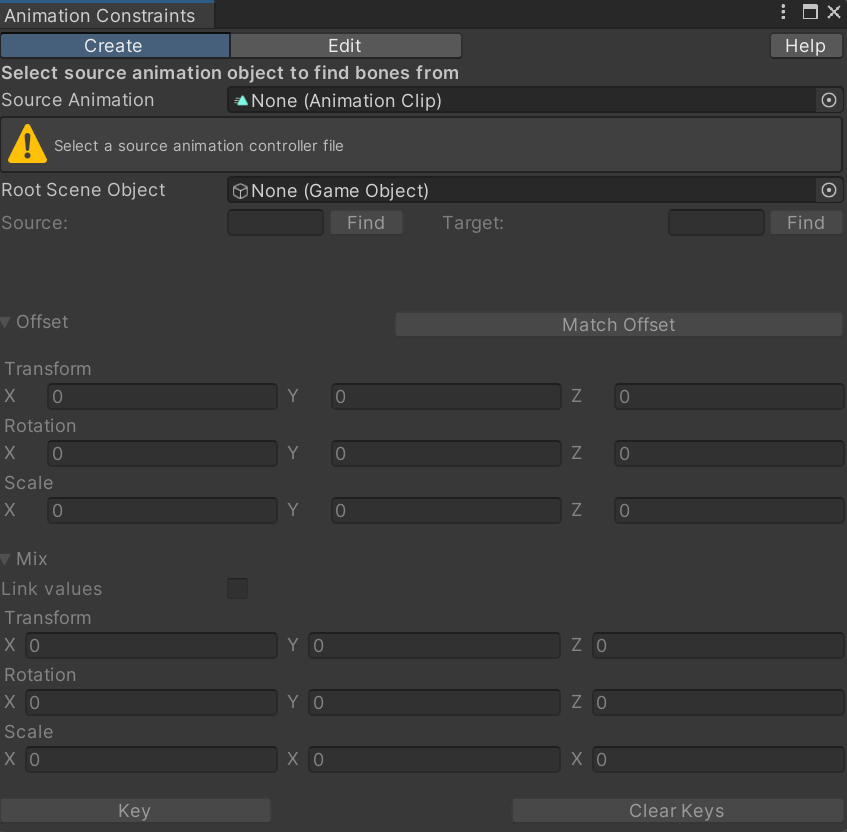
The first, very ugly implementation of the constraints UI.
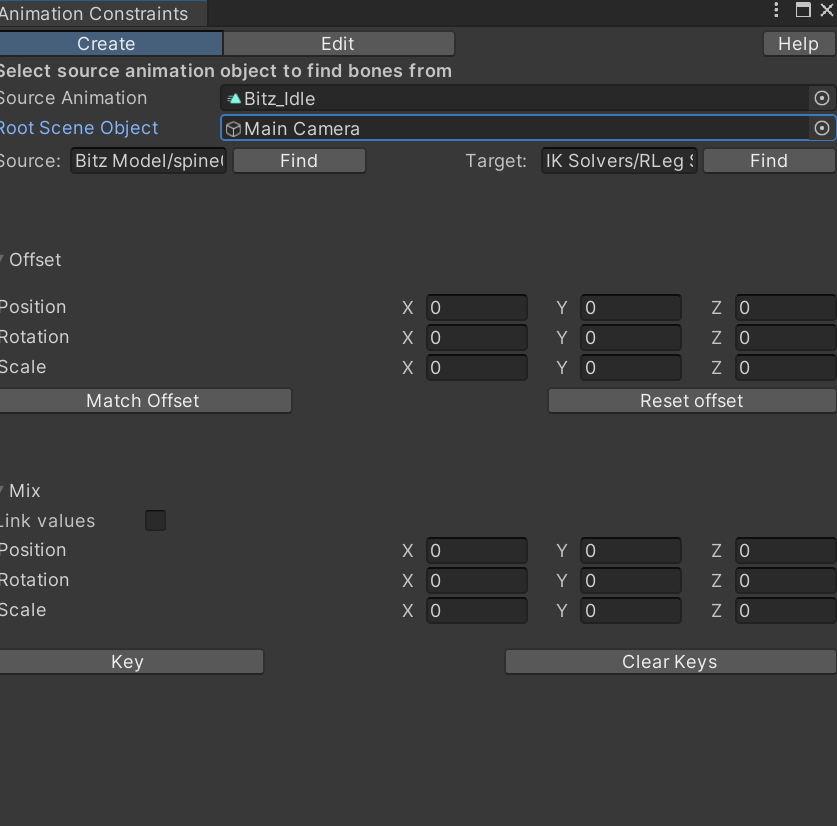
Second iteration, with greatly improved readability due to Caiden Muro's feedback. I didn't have relative, or load data implemented at this point.
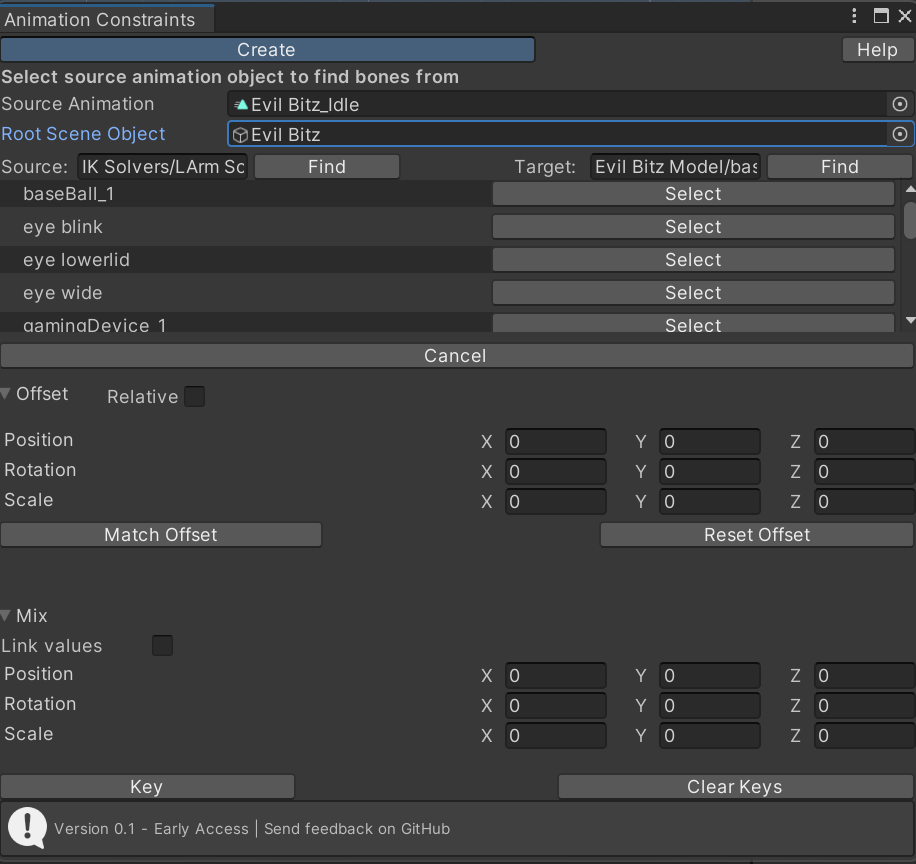
The first 0.1 release of the tool. I didn't have Load Data yet. I ended up cutting 'Edit' from release as it was not ready yet, and my vision for it had changed from my initial plan.
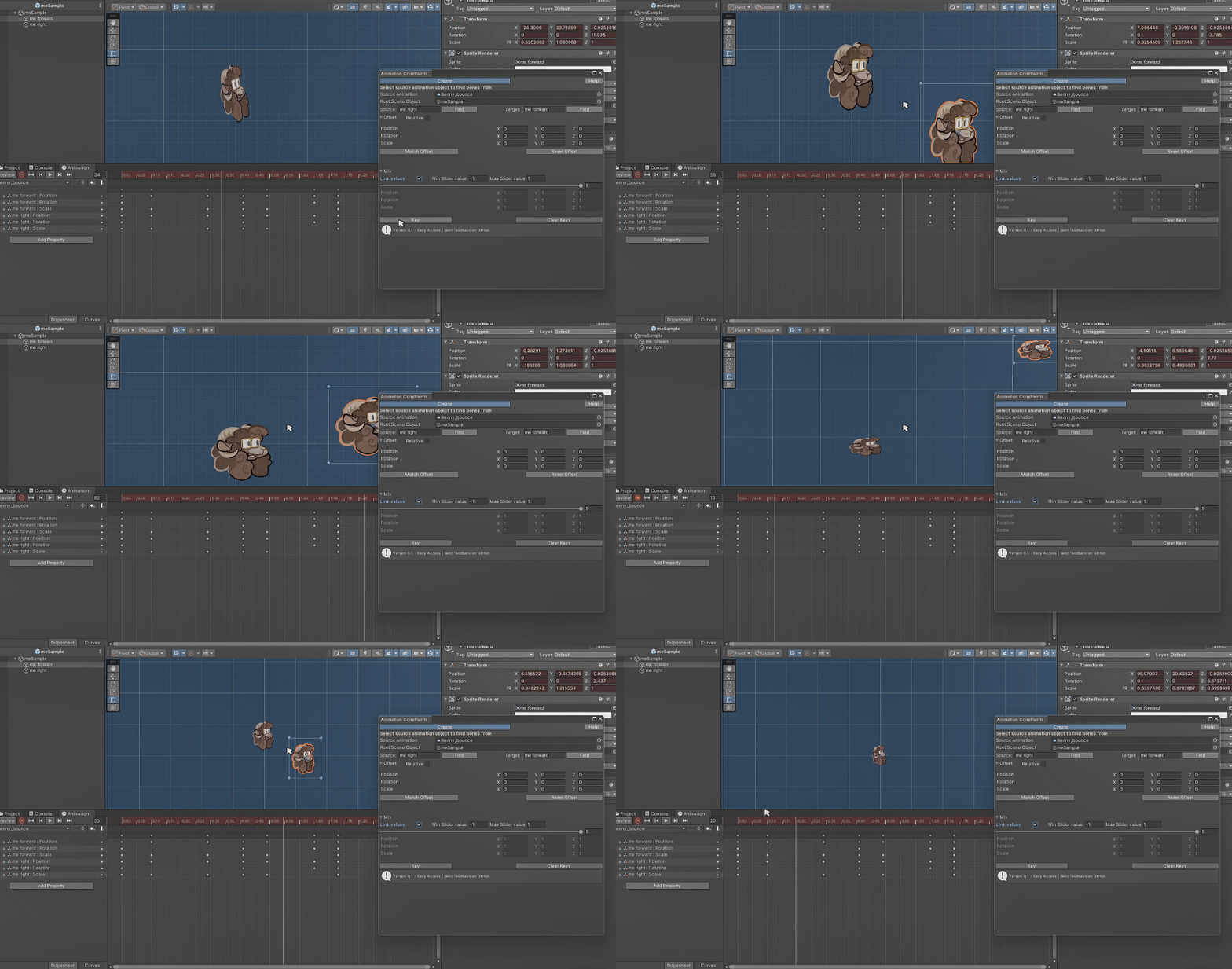
The initial release had issues with rotations, and matching offset values properly. This was fixed in later releases.
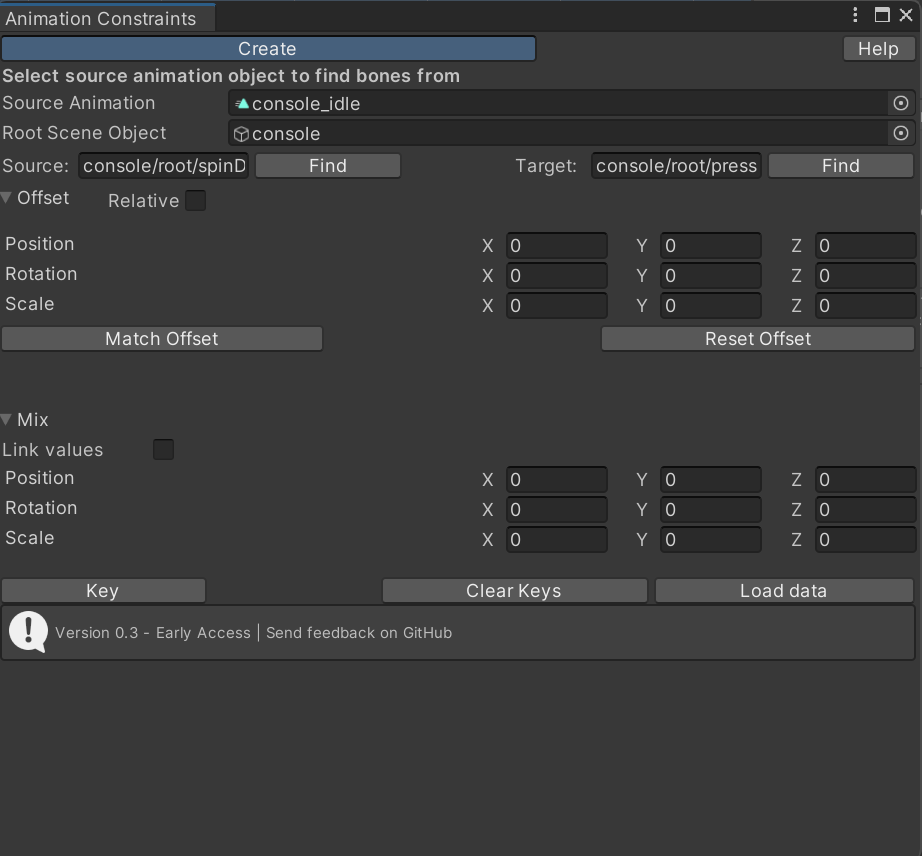
Current 0.3 release